Which Wireless Humidity Sensor Is Best for Buyers in 2026?

Time:2026-11-22 Author:Oliver
0%

Choosing the best Wireless Humidity Sensor in 2026 means looking beyond the advertised accuracy. A sensor may perform well on a laboratory bench yet struggle beside a cold storage door, a humid greenhouse vent, or a metal duct. Range, battery life, response time, calibration options, and compatibility with your existing network all shape its real-world value. Small details matter.

Wireless sensing specialist Dr. Lena Ortiz puts the core principle this way: “A humidity reading is only useful when you can trust it where the sensor actually operates.” Buyers should treat that as a practical test, not a slogan. Check how the device behaves across the temperatures and humidity levels your site experiences. Ask how often it needs calibration, what happens when connectivity drops, and whether readings can be exported for review. A neat app is not enough.

There is no universal winner. A warehouse may need dependable coverage across long aisles, while a museum may prioritize stable readings and careful placement. Some specifications also leave important questions unanswered. That deserves scrutiny. This guide compares leading options by performance, connectivity, installation, upkeep, and total cost, so buyers can match a sensor to the job rather than chase the longest feature list. The best choice is the one that produces dependable, useful data in your actual environment.
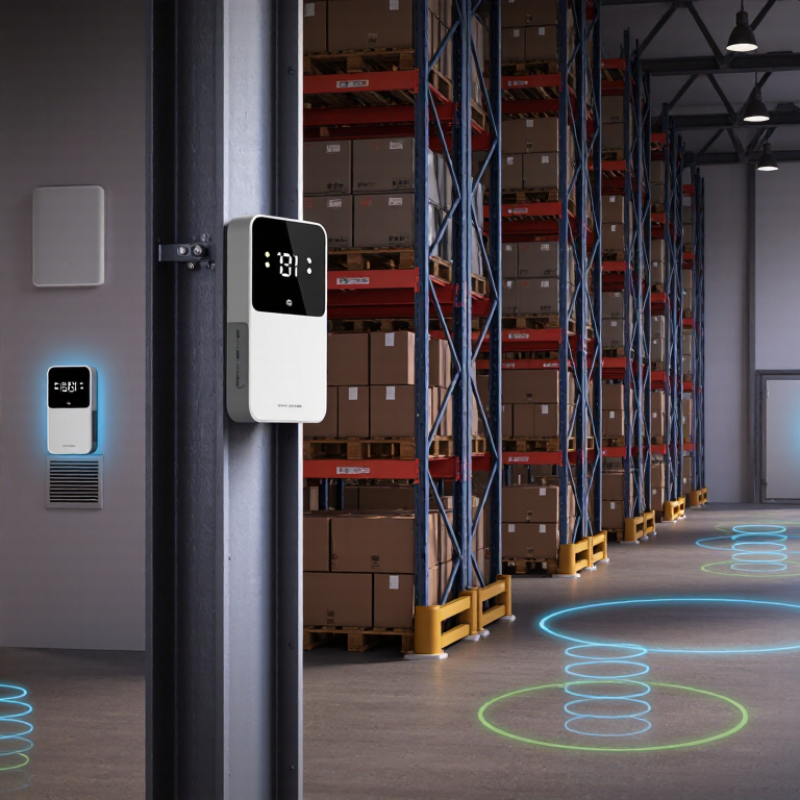
Which Wireless Humidity Sensor Is Best for Buyers in 2026?

How Wireless Humidity Sensors Measure and Transmit Data

Wireless humidity sensors convert moisture into an electrical signal, then report relative humidity, or RH. Most use a capacitive element: water molecules alter the electrical properties of a humidity-sensitive film. A circuit measures that change and applies temperature compensation, since warmer air can hold more moisture. The reading is not the whole story. Dust, condensation, and sensor drift can skew results, so calibration history matters.

Small packets.

A transmitter sends readings by radio to a gateway or receiver, using protocols such as Wi-Fi, Bluetooth Low Energy, or LoRaWAN. Packets may include RH, temperature, a timestamp, and battery status. The receiver forwards them to a monitoring system, where gaps or sudden jumps can flag problems. IoT Analytics’ State of IoT 2024 report estimated 18.8 billion connected IoT devices worldwide at the end of 2024, a sign of the expanding infrastructure these sensors can use. That figure does not guarantee reliable humidity data. Walls, metal shelving, distance, and transmission intervals still affect delivery. A sensor beside a damp doorway may also describe that spot, not an entire room. Check placement, calibration, and signal quality together.

Which Accuracy and Response-Time Specifications Matter Most

For buyers comparing wireless humidity sensors in 2026, accuracy and response time deserve more attention than headline range. An accuracy rating of ±2% RH may be suitable for many storage rooms, but check where that rating applies. Some sensors perform less evenly near very dry or humid conditions. Look for stated accuracy across the humidity range you actually expect, plus the test temperature. Small print matters.

Tips: Check how response time is measured. A T63 rating describes the time to register 63% of a sudden change, often under specific airflow conditions. A sensor behind a protective cover or mounted in a still corner may react more slowly. Compare like with like.

Response time matters when humidity changes quickly, such as near a frequently opened cold room door. For steady indoor monitoring, a slightly slower sensor may be adequate if readings remain dependable. Ask whether the listed response time includes the housing, and whether the unit needs time to stabilize after installation. A spec sheet cannot predict every room. Placement, dust, and calibration drift can affect real readings, so allow for occasional checks against a trusted reference. I would not choose on one number alone.

How Connectivity, Power, and Compatibility Shape Sensor Choice

Which Wireless Humidity Sensor Is Best for Buyers in 2026?

The best sensor depends on where it must report and what receives its signal. Bluetooth Low Energy suits nearby rooms and phone-based checks. Wi-Fi can send readings directly to a network, but frequent transmissions may shorten battery life. For distant outbuildings, a low-power wide-area network can reach farther, provided coverage and gateway access are available. Range matters. IoT Analytics reported 18.8 billion connected IoT devices in 2024, reflecting a crowded ecosystem—not universal compatibility. Check the gateway, protocol, and data platform before choosing.

Power needs deserve a practical test. A sensor sending readings every minute will behave differently from one reporting hourly. Ask for battery-life estimates at your intended reporting interval, then check whether low-battery alerts are supported. Bluetooth SIG’s 2024 Market Update forecasts 7.5 billion Bluetooth device shipments annually by 2028; that growth does not mean every sensor works with every receiver. Verify the supported Bluetooth version and pairing method. For mesh systems, confirm that a compatible router or border device is already installed. I would test the sensor at the actual mounting point, behind the storeroom door or near the greenhouse roof. Walls, metal shelving, and weak signal can change the result. Calibration details matter, too. A low price is less useful if readings drift unnoticed.

Which Wireless Humidity Sensor Is Best for Buyers in 2026?

Wireless frequency bands vary by protocol and region. The chart shows representative operating ranges in MHz—not sensor range, battery life, or power consumption.

How to use this: Frequency alone does not determine battery life or coverage. Check the sensor’s gateway and platform compatibility, regional radio requirements, and expected battery life at your reporting interval. Bluetooth LE, Zigbee, and 2.4 GHz Wi-Fi share spectrum; LoRaWAN bands are region-specific.

Ranges are representative: 2.4 GHz ISM band (2,400–2,483.5 MHz), EU868 (863–870 MHz), and US915 (902–928 MHz). Available channels and regulatory rules may vary by location.

Which Sensor Features Suit Different Rooms and Applications

The best wireless humidity sensor depends on the room, not a feature list. In a bedroom, quiet operation, a clear display, and dependable readings matter more than a rugged casing. Look for stated accuracy and a sensible measurement range. A sensor that records trends can reveal whether humidity rises overnight or after a shower. Useful detail. Keep it away from windows, vents, and direct steam; poor placement can make good equipment look unreliable.

Bathrooms and laundry rooms need quick updates and alerts, but wireless coverage matters through walls and closed doors. For a greenhouse, choose a model with frequent readings, history, and a probe or enclosure suited to damp conditions. A basement or storage area benefits from long battery life and alerts for sustained changes, since nobody may check it daily. Check how the sensor connects, how often it reports, and whether readings remain available during internet outages. That last point is easy to miss. Remote alerts are helpful, though they cannot fix a weak signal or a misplaced sensor. Calibration options can add confidence, but they take time and may be overlooked. A simple device that you actually check may serve better than a feature-rich one that becomes background noise.

Which Wireless Humidity Sensor Is Best for Buyers in 2026? — Which Sensor Features Suit Different Rooms and Applications

Wireless Type Typical Coverage Considerations Power and Infrastructure Best-Suited Rooms and Applications Advantages Trade-Offs and Buying Checks
Wi-Fi Uses the existing Wi-Fi network; practical range depends on the router, walls, interference, and building layout. Usually connects directly to a router. Battery life varies considerably; frequent transmissions and weak signal can increase power use. Homes, offices, and small sites where Wi-Fi is already reliable and readings need to be viewed remotely. No dedicated sensor gateway is usually needed; convenient access through a compatible app or monitoring system. Check battery-life claims, supported Wi-Fi bands, network security, and whether the device continues logging during internet outages.
Bluetooth Low Energy (BLE) Generally suited to a room or nearby area; walls and the receiving device’s position can reduce connection range. Often battery-powered and designed for low energy use. A phone or a compatible gateway may be needed for remote or continuous monitoring. Bedrooms, bathrooms, cabinets, instrument cases, and other places where a person can periodically read nearby measurements. Simple setup for local readings; small, battery-operated sensors are widely available. Confirm whether readings are stored while out of range and whether a gateway is required for alerts or remote access.
Zigbee or Thread Designed for low-power connected devices. Mesh-capable networks can extend coverage through compatible, powered devices, but layout and device compatibility matter. Typically requires a compatible hub, border router, or home-automation controller. Battery sensors can operate for extended periods, depending on settings and model. Multi-room homes, smart buildings, and installations already using a compatible automation network. Low-power operation and the potential to integrate humidity readings with ventilation, heating, or other automations. Check protocol version, hub compatibility, local-control support, and whether the sensor reports humidity at the interval required.
LoRaWAN Designed for long-range, low-data-rate communication. Actual coverage depends on gateways, terrain, building materials, antenna placement, and local network availability. Requires access to a LoRaWAN gateway or network. Low-power reporting can suit battery operation; transmission frequency affects battery life. Warehouses, farms, greenhouses, campuses, and other large sites where sensors are spread over a wide area. Can cover larger areas with relatively infrequent small readings and can support deployments with many remote sensors. Verify gateway coverage, regional radio-band compatibility, data delivery interval, and whether the network and dashboard have ongoing costs.
Cellular (such as LTE-M or NB-IoT) Depends on carrier coverage at the installation point; indoor signal strength can differ from outdoor coverage. Uses a cellular modem and typically requires a SIM or service plan. Power needs vary by network, signal quality, and reporting frequency. Remote buildings, temporary sites, transport, and locations without dependable local Wi-Fi or a private sensor network. Can send data without a site-installed Wi-Fi router or local sensor gateway when compatible cellular service is available. Check indoor coverage, subscription fees, roaming and regional network support, and battery performance under real signal conditions.

Selection note: Wireless technology does not determine humidity accuracy. Compare each model’s stated accuracy across its operating range, calibration information, response time, logging and alert features, operating temperature range, and replacement-battery availability. Many monitoring products specify accuracy in the range of a few percentage points of relative humidity, but specifications vary by model and conditions. Place sensors away from direct sunlight, vents, exterior-wall drafts, and direct water spray; use a sensor rated for the intended environment.

How to Compare Costs, Calibration Needs, and Long-Term Reliability

A wireless humidity sensor should be judged by more than its purchase price. Include replacement batteries, gateway costs, software fees, and the time needed to check readings. A low-cost unit may become expensive if it needs frequent recalibration or sends unreliable alerts. Small differences matter.

Calibration needs depend on the environment and the consequences of a wrong reading. Check whether the sensor supports field calibration, how often the maker recommends it, and whether calibration records are available. A greenhouse may tolerate small swings; a collection room may not. Ask how readings were validated, not just how precise they appear on a specification sheet. Specifications rarely tell the whole story. That is worth remembering.

For long-term reliability, review the operating temperature and humidity range, enclosure protection, battery life, and wireless coverage in the actual building. Thick walls and metal shelving can weaken signals, so test placement before installing several units. Look for clear fault alerts and a way to export historical data. One imperfect habit helps: compare sensor readings with a trusted reference during routine checks. No sensor stays perfect. A device that is easy to verify and maintain may serve buyers better than one with impressive numbers but unclear support.

FAQS

Is an accuracy rating of ±2% RH enough for a storage room?

It may be, but check whether that accuracy applies across your expected humidity range and test temperature. Small print matters.

What does a T63 response-time rating mean?

It measures how long a sensor takes to register 63% of a sudden change, often under stated airflow conditions. Compare matching test conditions.

When does response time matter most?

It matters near places with quick humidity changes, such as a cold-room door opened often. For steady rooms, a slower sensor may be adequate.

Can the sensor’s location affect its readings?

Yes. A cover, still corner, dust, or poor placement can affect response and readings. A spec sheet cannot predict every room.

What costs should buyers include beyond the purchase price?

Consider replacement batteries, gateway costs, software fees, and time spent checking readings. A low-cost sensor can become costly.

How often should a wireless humidity sensor be calibrated?

Check the recommended interval and whether field calibration and records are supported. Needs depend on the environment and the cost of a wrong reading.

How can buyers check long-term reliability?

Review operating limits, enclosure protection, battery life, wireless coverage, fault alerts, and historical-data export. Test signal strength around thick walls and metal shelving.

How can I check whether readings remain dependable?

Compare them with a trusted reference during routine checks. No sensor stays perfect. I still wouldn’t choose by one number alone.

Conclusion

Choosing the best Wireless Humidity Sensor in 2026 means looking beyond its headline accuracy. Buyers should understand how the sensor measures humidity and sends readings, then compare accuracy, response time, and consistency under changing conditions. Reliable, timely data is especially important in spaces where humidity can shift quickly or affect comfort, storage, or equipment.

Connectivity and power options also shape the right choice: check whether the sensor works with your existing devices, network, and monitoring setup, and consider battery life and maintenance. Features such as display, alerts, placement flexibility, and environmental durability may suit different rooms and applications. Finally, compare the total cost of ownership, including calibration requirements, replacement needs, and expected service life. A sensor that balances dependable measurements, practical compatibility, and manageable upkeep is often a better long-term choice than one selected on purchase price alone.


Oliver

Oliver

Oliver is a seasoned marketing professional with a wealth of expertise in driving brand awareness and engagement. With a deep understanding of our company's product offerings, he consistently delivers high-quality content that enriches our professional blog. His insights not only shed light on......